
Migoo–Personalized AI For You
Developer Migoo - USProductivity
4.214.00 Reviews
- Version
- 1.19.1
- Installs
- 10.00K
- Age Rating
- Teen
Screenshots
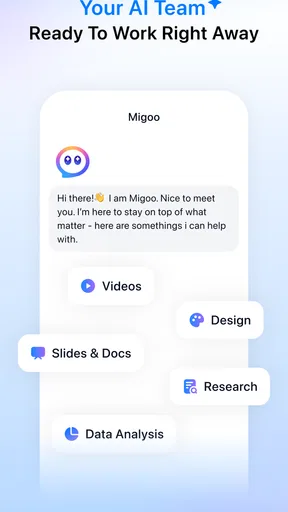

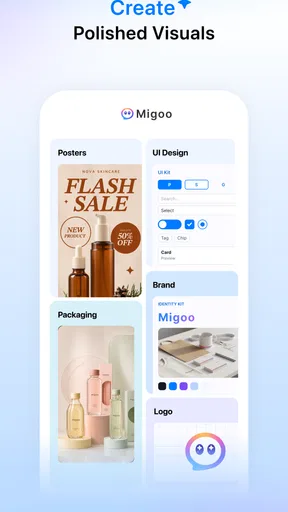

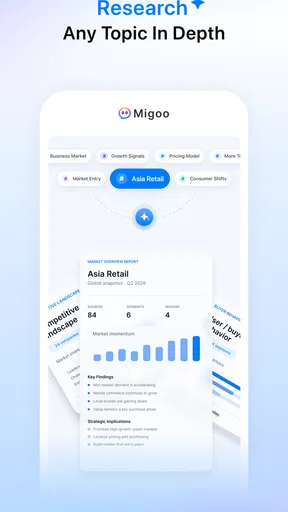
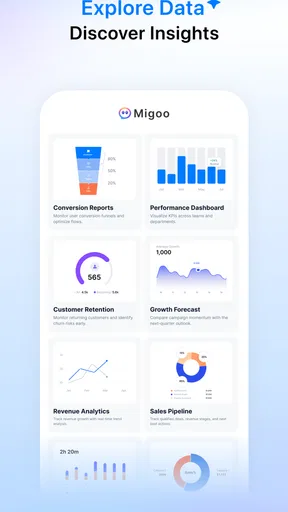
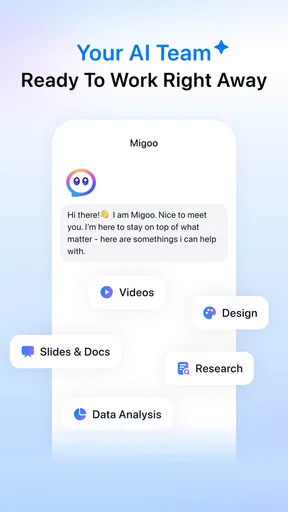

Our Review of Migoo–Personalized AI For You
 Analysis by Appyee
I approached Migoo–Personalized AI For You as a productivity app for people who want help organizing the overlap between work and everyday life. Its promise is not simply to hold a list of tasks; the appeal is the idea of having an assistant that can help you decide what deserves attention before your day becomes crowded. That makes it interesting for anyone who regularly moves between appointments, personal errands, messages, planning and unfinished work.
My first impression is that Migoo is best understood as a guided productivity companion rather than a traditional calendar or a plain notes app. You are not downloading it just to create another static list. The useful question is whether its personalized approach can reduce the small decisions that usually slow you down. If you enjoy trying new ways to structure your day, it has a clear reason to earn a place on your phone.
At the same time, I would not recommend installing it with the expectation that it will instantly replace every productivity tool you already use. A first-time user needs to spend a little time showing the app what matters, and the value depends on how consistently you give it useful context. That is a normal trade-off for personalization, but it is important to understand before getting started.
Getting started without making your routine complicated
When I begin with a productivity app that aims to personalize its guidance, I try to keep the first session focused rather than importing every task and worry at once. I’ll look at how to set a useful starting point, test one manageable action, and tell the difference between helpful direction and extra planning overhead.
What I would expect before opening it
Migoo is published by Developer Migoo - US and sits in the productivity category. The app is free to install, although it includes in-app purchases ranging from around one dollar to as much as eight hundred forty dollars per item. I would therefore begin by exploring the free experience carefully and checking any purchase screen before confirming anything. The broad price range makes it especially sensible to understand what you are receiving at each step rather than assuming every useful function is included.
The app is rated Teen, so it is not presented as a child-focused tool. It requires Android seven or later, which covers many older phones while still leaving compatibility dependent on the device and its software. The current release is version 1.19.1. That information is useful when troubleshooting: if the installation or behavior seems unusual, checking the operating system and whether the app is up to date should be among the first practical steps.
Migoo has an average rating of 4.2 from 28 ratings and has passed 10K+ installs. Those figures suggest a small but real user base rather than the familiarity of a mainstream calendar or task manager. I see that as a reason to approach it with curiosity, not as a guarantee that it will fit every workflow. The app is still something I would test against my own habits rather than adopt blindly because of popularity.
The first setup should be intentional
When I try a personalized productivity app, I avoid entering my entire life immediately. Instead, I choose one area that is currently causing friction. For example, I might focus on keeping track of work follow-ups while also remembering a few personal commitments. This gives Migoo a clean starting point and gives me a fair way to judge whether its assistance is useful.
I would prepare three kinds of information before beginning: the tasks that genuinely matter this week, the obligations that have a fixed time, and the loose reminders that are easy to forget. Separating those groups prevents a common mistake, which is treating every thought as equally urgent. If the app asks questions about priorities or preferences, answering with real examples should produce more useful guidance than choosing vague options just to finish setup quickly.
A good first session should take place when you have a few quiet minutes. Rushing through setup while commuting or switching between messages makes it harder to notice what the app is asking and easier to create an unrealistic plan. I also recommend starting with a modest amount of information. A short, accurate picture of your routine is more valuable than a large collection of half-finished entries.
One practical tip is to describe tasks in terms of outcomes rather than fragments. “Prepare questions for tomorrow’s meeting” is more useful to me than “meeting,” because the first version gives a clear action. For personal life, “choose and order a birthday gift” is easier to act on than “birthday.” Even when an app offers personalization, the quality of the input still shapes the quality of the result.
Your first meaningful success
I would define success on the first day very narrowly: use Migoo to turn a messy intention into one clear next action. Imagine that I have a report to finish, groceries to buy and a message I have postponed answering. Rather than asking the app to solve the entire day, I would use the information already entered to decide which action should happen first and what can reasonably wait.
The best outcome is not a beautifully organized screen. It is reaching the end of a short session knowing exactly what to do next. If Migoo helps me identify that the report needs a focused starting block, the groceries can wait until the evening and the message only needs a brief reply, it has already reduced mental clutter. That is a more realistic test than expecting a complete life-management system after one launch.
For a first-time user, I suggest choosing an action that can be completed in one sitting. A small win teaches you how the app frames priorities without making the experiment feel like a major commitment. After completing it, I would check whether the suggested order felt natural. If it did not, the problem may be the information supplied during setup rather than the entire concept of the app.
Another useful workflow is to review the plan at two different moments: once at the beginning of the day and again when your circumstances change. A task that was sensible in the morning may no longer be the right choice after an unexpected call or a change at work. Personalized assistance is most useful when it supports a decision, not when it becomes another rigid schedule that you feel guilty about breaking.
Where new users may become confused
The phrase “personalized AI” can create an unrealistic expectation that Migoo will automatically understand every preference and situation without explanation. I would treat it more like a conversation that improves through clear direction. If a recommendation feels too broad, the practical response is to provide a more specific goal or clarify the constraint, rather than accepting the suggestion simply because it came from an AI feature.
Another possible source of confusion is the difference between a task, a priority and a reminder. A task describes something I need to do. A priority explains why it matters now. A reminder helps me return to it at the right time. Mixing all three into a single vague entry can make any productivity system feel noisy. I get better results when I keep the action concrete and use surrounding context to explain its importance.
I would also avoid adding every recurring worry to the app during the first session. A productivity tool can become counterproductive when it turns into a catalogue of unfinished thoughts. Start with responsibilities that have a real consequence or a clear benefit. Once the workflow feels comfortable, add lower-priority items and see whether they improve planning or merely increase visual clutter.
Because the app is free to install but offers purchases, I would pay attention to the point at which a paid option appears. Before choosing anything, I would read the wording on the screen and decide whether the feature is essential to my routine or simply attractive in the moment. The listed purchase range is wide enough that careful confirmation is worthwhile, especially if the phone is shared or payment approval is enabled.
A realistic everyday routine
Here is how I would use Migoo on a normal weekday. In the morning, I would enter or review the few commitments that cannot move, then identify one important work outcome and one personal responsibility. I would avoid filling the day with a long queue of minor tasks. The goal would be to make the next decision easier, not to create a perfect record of every minute.
Suppose I work from home and need to prepare a presentation, collect a prescription and remember to call a family member. The presentation has the greatest concentration requirement, the prescription has a practical deadline and the call needs a suitable quiet moment. I would use those differences to guide the order, then revisit the plan after the presentation is underway. This is where the app’s work-and-life focus feels more relevant than a work-only task list.
At midday, I would remove or adjust anything that has changed instead of carrying outdated intentions forward. That small maintenance habit is easy to overlook, but it prevents the app from making suggestions based on a version of the day that no longer exists. In the evening, I would look at what was completed and move only genuine leftovers into the next planning session.
A less obvious benefit of this approach is that it exposes overloaded days early. If I keep asking the app to fit several demanding tasks into the same narrow period, the problem is probably not a missing reminder. It is an unrealistic plan. I would use that signal to reduce commitments, split a large task or move something deliberately, rather than continually rearranging the same impossible list.
How it compares with familiar alternatives
A standard calendar remains better when the main requirement is fixed scheduling. If I need to know exactly where I must be and when, a calendar’s time grid is clearer and faster. Migoo is more appealing when the difficulty is deciding what to do between those fixed events or balancing work obligations with personal responsibilities.
A conventional to-do list is usually quicker for capturing tasks. It can also be easier to scan when I already know my priorities. Migoo has a stronger reason to exist when I want help interpreting those tasks and turning them into a more useful sequence. The trade-off is that personalization requires more context and may feel slower than typing a title into a basic list.
Notes apps are excellent for storing ideas, reference material and long explanations, but they generally leave the decision-making to me. I would use notes for research or a meeting record and Migoo for deciding what action should come from that information. Trying to make either tool do the other’s job can create unnecessary friction.
For teams, a dedicated project-management service may still be the better choice when shared ownership, formal status tracking or detailed collaboration is central. Migoo makes more sense for an individual who wants a personal layer across different parts of life. I would not select it as the only system for a complex team project unless its workflow specifically matches the group’s needs.
Who will benefit most from the app
I think Migoo is a good fit for people who have many small decisions rather than one single organizational problem. Freelancers, students, remote workers and busy households may appreciate a tool that considers personal and professional commitments together. It can also suit someone who has tried rigid productivity methods and wants a more adaptive starting point.
It is less suitable for a person who wants nothing more than a fast checklist, a detailed shared calendar or a completely offline-feeling notebook. If you dislike explaining priorities, reviewing suggestions or adjusting your workflow, the personalization may feel like extra work. Likewise, anyone who needs a highly predictable system for regulated or team-based processes should compare it carefully with a specialized tool before relying on it.
I would also skip it if I were looking for a productivity app that requires no learning at all. Migoo’s value is tied to the relationship between the information I provide and the guidance I receive. That can be rewarding, but it means the first few sessions are part of the setup rather than a finished result.
My next-step recommendation
After the first successful action, I would use Migoo for a focused trial built around one recurring problem. For a week, I might use it to manage the transition between work and home, or to keep personal errands from disappearing behind professional tasks. I would record which suggestions helped, which entries felt unnecessary and where I still preferred another app.
I would not migrate every existing list on day one. Keeping the old system available as a safety net lets me compare the two approaches without risking an important deadline. If Migoo consistently helps me choose the next action or notice conflicts earlier, I can gradually make it more central. If it mainly duplicates information, I have learned that a simpler tool is better for my routine.
In my view, Migoo–Personalized AI For You is worth trying for users who want a more thoughtful bridge between task capture and daily decisions. Its strongest idea is the combination of work and life in one personal productivity space, while its main challenge is that personalization is not magic: it needs clear input, regular review and realistic expectations.
The app’s free entry point makes experimentation accessible, but I would remain attentive to optional purchases and avoid judging it after only a rushed setup. Give it one specific problem, create a small first win and see whether the guidance genuinely reduces decisions. If it does, Migoo can become a useful companion. If you only need a quick checklist or a precise calendar, a simpler alternative will probably serve you better.
Overall, I would recommend Migoo to a curious first-time user who is willing to shape the experience gradually. Start small, describe outcomes clearly, keep fixed appointments in the tool that handles them best and let Migoo focus on the harder question: what deserves your attention next?
Verdict
Strengths of Migoo–Personalized AI For You
- Personalized AI responses adapt to your interests and conversation style.
- Useful for brainstorming, writing help, planning, and everyday questions.
- Clean interface makes starting a conversation quick and straightforward.
- Can help organize ideas without requiring advanced technical knowledge.
- Suitable for casual users who want an AI assistant in one place.
Limitations of Migoo–Personalized AI For You
- Response quality may vary depending on the prompt and available context.
- Personalization can require sharing information about your preferences.
- Some advanced features may be limited behind a subscription or credits.
- AI-generated answers should be checked before using them for important decisions.
- Frequent use may consume battery and mobile data, especially with voice features.
Similar Picks in This Category
View All
Google Calendar
Google LLC4.6

Google Drive
Google LLC4.3

Google Assistant
Google LLC3.9

Microsoft OneDrive
Microsoft Corporation4.6

Samsung Calendar
Samsung Electronics Co., Ltd.4.1

Microsoft OneNote: Save Notes
Microsoft Corporation4.6
Frequently Asked Questions
What is Migoo–Personalized AI For You?
Migoo–Personalized AI For You is an artificial intelligence app designed to provide personalized assistance through conversations, recommendations, and AI-generated responses. Depending on the version and available features, it may help with writing, brainstorming, answering questions, organizing ideas, and everyday tasks. Its main appeal is the attempt to adapt interactions to your preferences rather than offering the same generic experience to every user.
How does Migoo personalize its answers and recommendations?
Migoo may use information you provide during conversations, along with your stated interests, preferences, and requests, to make future responses more relevant. The quality of personalization depends on how clearly you communicate and which account or app features are enabled. Before using it extensively, review the privacy settings and understand what information is stored, how it is used, and whether personalization can be disabled.
Is Migoo free to download and use?
Migoo may be available as a free download, but some capabilities can depend on subscriptions, in-app purchases, usage limits, or premium access. The exact offer may vary by platform, country, and current version of the app. We recommend checking the listing in Google Play or the App Store before downloading, especially for details about trial periods, recurring billing, and which AI features are included without payment.
Can I rely on Migoo’s AI answers for important information?
Migoo can be useful for ideas, explanations, drafting, and general assistance, but its responses should not automatically be treated as accurate or authoritative. Like other AI tools, it can misunderstand questions, produce outdated information, or confidently generate incorrect details. Always verify medical, legal, financial, academic, workplace, or safety-related answers with trustworthy sources or qualified professionals before acting on them.
What privacy and safety considerations should I know before using Migoo?
Because Migoo is an AI assistant, conversations may involve personal preferences, questions, documents, or other sensitive information. Avoid entering passwords, payment details, identity documents, confidential work material, or private information about other people unless you fully understand the app’s data practices. Read its privacy policy, check permissions, use available account controls, and remember that AI-generated content may require review before sharing.
